ShopTracker - Receipt Digitization via OCR & GenAI
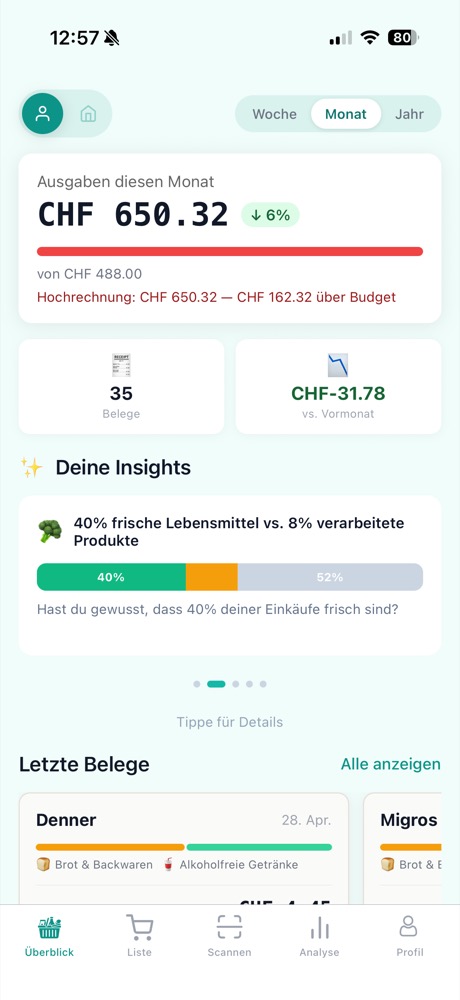
Dashboard
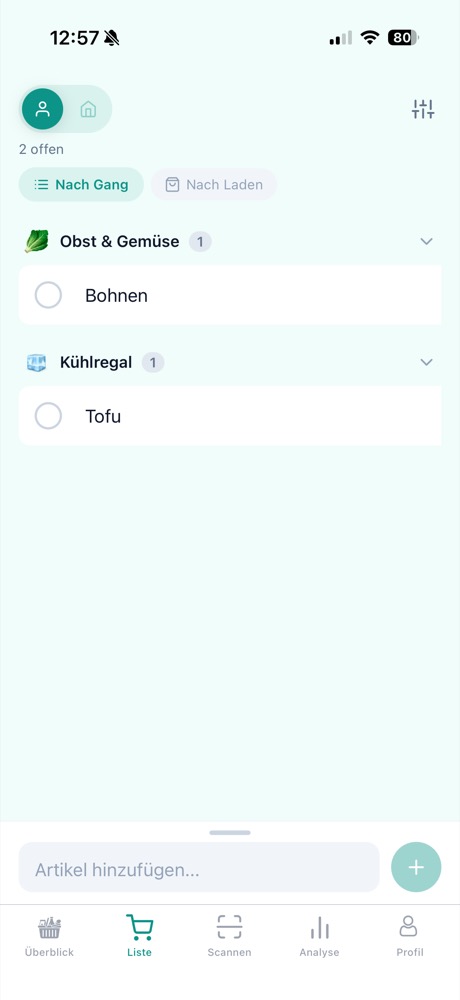
Shopping List
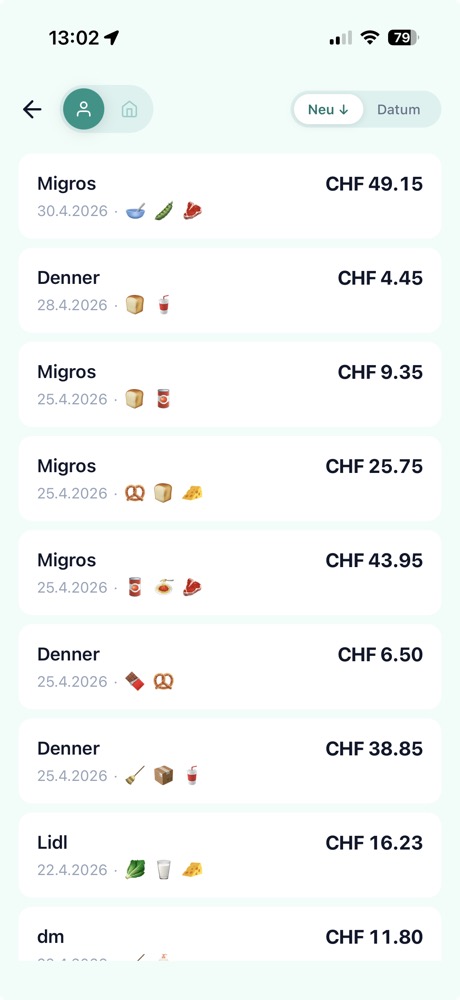
History
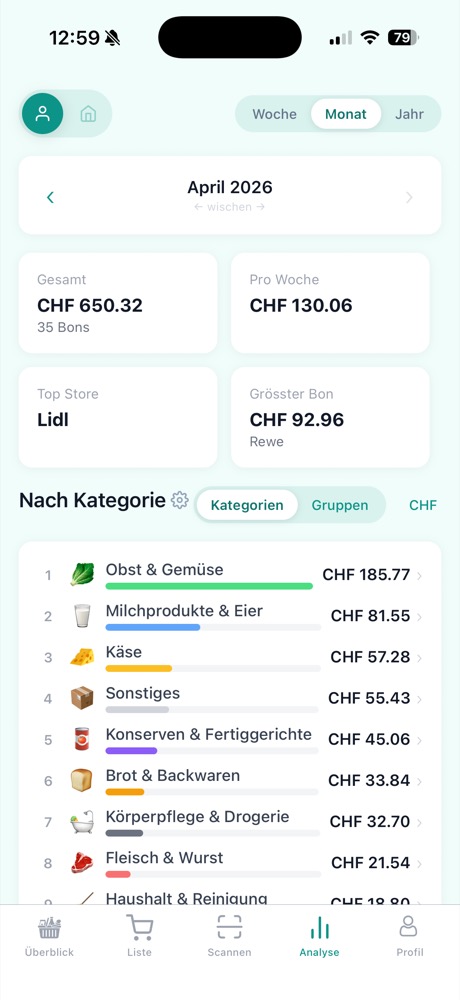
Analytics
Independent project — designed, architected, and developed as a personal product.
Overview
ShopTracker turns physical receipts into structured, actionable data. Users point their phone camera at a receipt, and the app automatically extracts store, date, individual items, quantities, prices, and discounts — then surfaces spending insights over time.
The application addresses a gap in personal finance tooling: while banking apps show how much was spent, they don’t capture what was purchased. ShopTracker closes that loop by digitizing the receipt itself.
Processing Pipeline
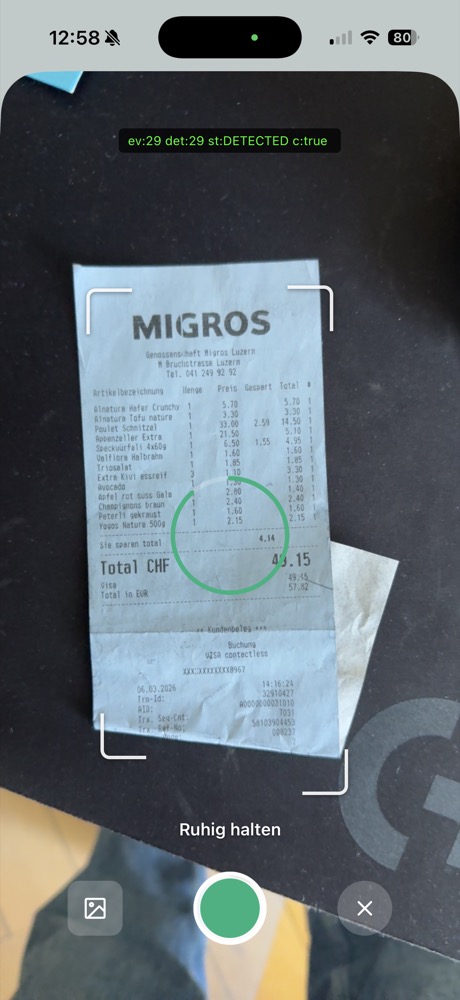
1. Detect & Capture
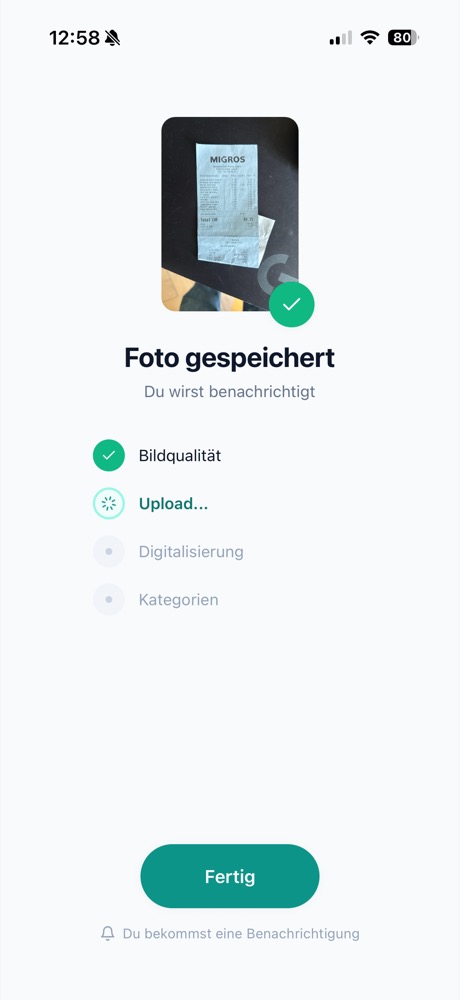
2. Process & Extract
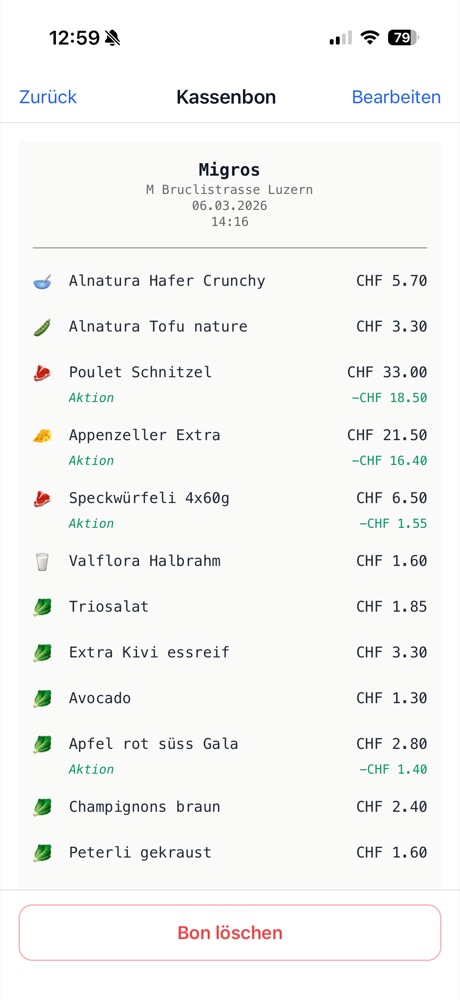
3. Structured Result
The pipeline processes each receipt through four stages:
- Real-time document detection — The camera continuously evaluates frames and locks onto a receipt, providing visual feedback to the user
- Image quality validation & upload — The captured image is checked for quality, then uploaded for server-side processing
- OCR + GenAI extraction — Raw text is extracted via OCR, then a language model parses the noisy output into structured data: store, address, date, line items with quantities and prices, discounts, and totals
- Categorization — Items are automatically categorized (produce, dairy, bakery, etc.) for spending analysis
Architecture
- Monorepo (Turborepo): Mobile app and API share TypeScript types and deploy independently, enforcing clean API contracts from the start
- Mobile (React Native + Expo): Cross-platform development with identical camera and image processing behavior on iOS and Android
- Backend (Node.js + Supabase): PostgreSQL-backed storage with row-level security, real-time sync, and Google Sign-In authentication
- AI/ML layer: Document detection, OCR, and GenAI-based structured extraction
Key Engineering Challenges
The core difficulty is not scanning a clean receipt under ideal conditions — it’s handling real-world variability. The OCR and extraction pipeline is benchmarked across 20+ Swiss and German retail formats (Migros, Coop, Denner, Lidl, Aldi, Rewe, Edeka, dm, and others) under varying image conditions: crumpled paper, low lighting, tilted angles, flash glare, and faded thermal print.
Each retailer prints receipts in a different format — different layouts, fonts, abbreviations, discount notations, and languages. The GenAI structuring layer needs to generalize across all of these without retailer-specific templates.
Current Status
Currently in closed testing, approaching first public release. All core features — scanning, extraction, storage, spending analytics, and shopping list — are functional and in daily use. A key ongoing challenge is maintaining feature parity and consistent behavior across iOS and Android simultaneously, particularly around camera APIs, image processing, and platform-specific UI conventions.